Educational Comparison / Small Home Office
Corner Desk vs. Straight Desk for a Small Home Office
Compare the work surface, chair movement, monitor position and cable access of two compact desk layouts.
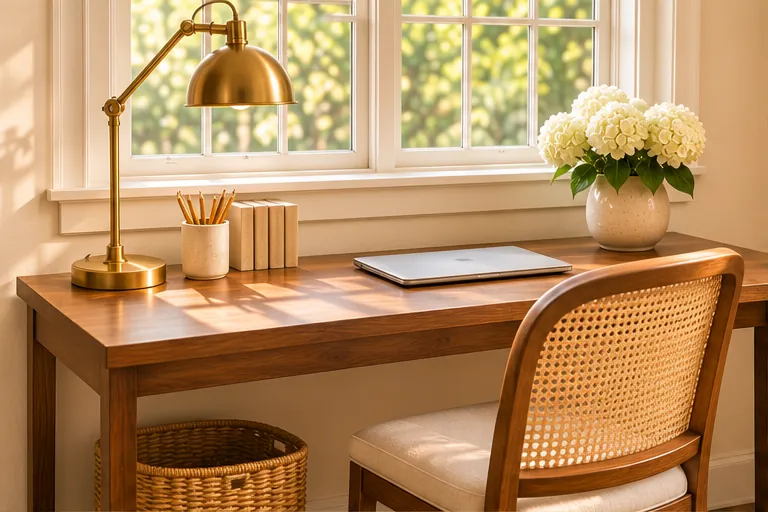
Shop this guide
Products to compare
As an Amazon Associate I earn from qualifying purchases. Picked from Amazon listing details; we have not tested these in person. Illustrations are AI-generated and representative; check Amazon for actual photos, sizes and current details before you buy.
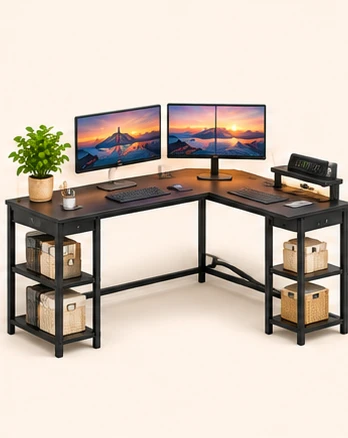
Huuger 63-inch L-shaped desk
Allow room for the return and chair movement.
View on Amazon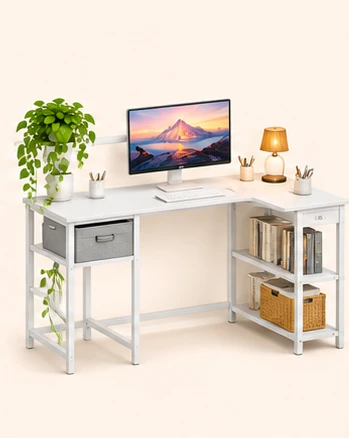
Lufeiya white corner desk
Check drawer clearance.
View on Amazon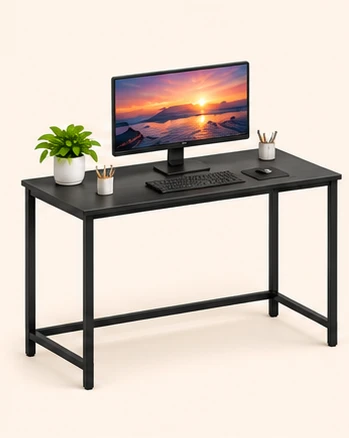
DUMOS 31.5-inch straight desk
Measure the available wall span.
View on Amazon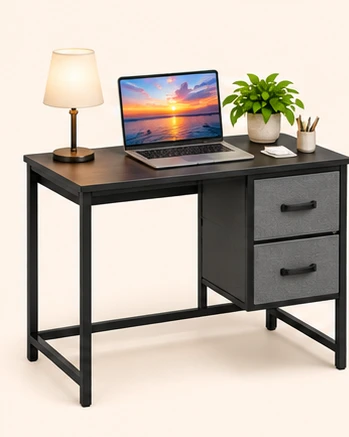
Pamray 32-inch straight desk
Check drawer and knee clearance.
View on AmazonWhat you gain and lose with each desk shape
A straight desk can fit along one wall and usually leaves simpler access to the workspace. A corner desk uses two adjoining wall runs and may create room for a printer or second task, but it also occupies the corner's entire approach area. Both can work in a compact office; the difference is the shape of the usable surface and how freely you can position your chair.
Corner desks are not automatically bigger. Some have a narrow central wedge that is awkward for typing. Straight desks can be surprisingly flexible when a laptop or compact monitor is used. Compare the dimensions of the specific furniture to your actual equipment rather than relying on a generic label such as ‘space saving.’
Map the workspace and walking path
Draw the room to scale and mark doors, windows, outlets, heat sources and the route to other furniture. For a corner desk, draw both arms and the seat area at the point where you will actually sit. For a straight desk, mark chair pull-back and the space needed to move past its ends. Use the room planning sheet to save these dimensions.
Try an inexpensive floor-tape outline for both configurations. Place a chair inside the outline and simulate reaching for the keyboard, turning to file paperwork and leaving the workstation. A desk that fits the tape but traps the chair against a bed or cabinet will not feel compact in daily use.
Ergonomics is not a desk-shape contest
Position the monitor directly in front of the primary working position, with the screen at a comfortable viewing height and distance. The keyboard and pointer should let your shoulders relax and your wrists stay in a neutral range. OSHA's workstation guidance emphasizes the arrangement of components together, not a universally correct desk type.
A corner desk can encourage a twisted working posture if the screen occupies one arm and the keyboard another. It can also work well if the primary screen is centered on a usable corner segment. A straight desk may leave fewer mounting choices, yet its regular surface makes cable paths and equipment positioning easier to understand.
Cables, maintenance and moving
Measure cable reach before placing a desk far from an outlet. Avoid creating loose cables across a walking route or pinching cords behind a heavy cabinet. Some corner desks are difficult to move through narrow hallways once assembled, while a straight desk may be simpler to disassemble. Neither style should cover a ventilation opening or force a power strip into a cramped, inaccessible space.
If you share an office or use the room as a guest bedroom, prioritize the desk that leaves the least obstruction in the room’s other routine. A few inches of extra surface do not compensate for a blocked closet door or inaccessible drawer.
The decision in one minute
Choose a straight desk if your work is mostly computer-based, you want a simpler room layout or you anticipate moving it. Consider a corner desk if you genuinely need two adjacent work areas and have enough chair access and usable depth in both directions. Before buying, measure actual screen, keyboard, chair and door movement.
The paperwork desk reset helps reduce demand for desk space before you spend. If you still need furniture, compare assembly requirements, replacement parts and model-specific surface ratings, rather than treating a larger-looking desktop as automatically better.
Frequently asked questions
Practical answers about corner desk vs. straight desk, fit and everyday use.
Corner desk vs. straight desk: which is better for me?
Compare the work surface, chair movement, monitor position and cable access of two compact desk layouts.
Is a corner desk always more space-efficient?
No. The chair and circulation footprint can offset the extra surface, especially near a doorway.
Can a corner desk be ergonomic?
Yes, if the screen, keyboard, chair and work position align comfortably without repeated twisting.
Should I buy a desk before sorting my paperwork?
Try reducing the required surface area first so you choose a desk for current work, not unused piles.
Can a corner desk hold two monitors more easily than a straight desk?
Not necessarily. Compare actual usable depth, monitor base dimensions and arm clearance rather than the desk's overall footprint.
Which desk shape is easier to use for video calls?
Choose a layout with a comfortable camera angle, clear background and controllable light; both desk types can work.
Sources and verification
General public guidance is linked below. These sources do not verify particular products or installations.
Independent decision guide, not a firsthand test or professional installation plan. Check current manufacturer instructions and specific wall, electrical, plumbing and property conditions. Affiliate disclosure.